Table of Contents
- Key Takeaways
- Quick Verdict
- Product Overview & Specifications
- Real-World Performance & Feature Analysis
- Design & Build Quality
- Performance in Real Use
- Ease of Use
- Durability & Reliability
- Pros & Cons
- Comparison & Alternatives
- Cheaper Alternative: Dell Optiplex 3040 with i5-6500
- Premium Alternative: Dell Optiplex 7080 with i5-10500
- Buying Guide / Who Should Buy
- Best for Beginners
- Best for Professionals
- Not Recommended For
- FAQ
You’re searching for a reliable business desktop that won’t break the bank, and the Dell Optiplex 3060 Tower with i5 processor and 16GB RAM keeps popping up. But does this refurbished workhorse actually deliver in real office environments, or is it just another budget compromise? Having deployed dozens of these systems across small businesses and remote teams, I can tell you the answer isn’t as straightforward as the specs suggest.
Key Takeaways
- The i5-8500 processor remains surprisingly capable for office workloads despite being an 8th-gen chip, but shows its age with modern multimedia tasks
- 16GB RAM is the sweet spot for 2026 business computing, allowing seamless multitasking between Office apps, browsers, and communication tools
- Dell’s business-grade build quality shines through even in refurbished units, offering better longevity than consumer-grade alternatives
- The 256GB SSD is adequate but will likely require expansion for users with large file libraries or multiple applications
- Windows 11 Pro integration is flawless, providing enterprise security features that home editions lack
Quick Verdict
Best for: Small businesses, remote workers, educational institutions, and budget-conscious organizations needing reliable daily productivity machines.
Not ideal for: Graphic designers, video editors, gamers, or anyone needing cutting-edge performance for demanding applications.
Core strengths: Enterprise-grade reliability, excellent Windows 11 compatibility, strong value proposition, and Dell’s business-focused feature set.
Core weaknesses: Aging processor architecture, limited upgrade path beyond RAM and storage, integrated graphics constraints.
Product Overview & Specifications
The Dell Optiplex 3060 Tower represents a specific sweet spot in the business computing world. It’s recent enough to handle modern operating systems comfortably but old enough to be available at attractive refurbished prices. Having unboxed and configured several of these units, I appreciate how Dell’s business lineage translates to thoughtful design choices that matter in daily use.
| Component | Specification | Real-World Significance |
|---|---|---|
| Processor | Intel Core i5-8500 (8th Gen) | 6-core CPU that handles office workloads efficiently but struggles with heavy multitasking |
| Memory | 16GB DDR4 RAM | Eliminates browser tab anxiety and allows smooth operation of multiple business applications |
| Storage | 256GB SSD | Fast boot times but requires discipline or expansion for file storage |
| Graphics | Intel UHD Graphics 630 | Adequate for dual monitors and basic media, insufficient for gaming or design work |
| Operating System | Windows 11 Pro | Includes BitLocker encryption, Remote Desktop, and enterprise management features |
| Form Factor | Tower | More expansion options than smaller form factors but consumes more desk space |
The combination of 16GB RAM with an SSD is what makes this configuration particularly compelling. In my testing, this eliminates the two biggest performance bottlenecks that plague budget office PCs: insufficient memory causing constant swapping, and slow mechanical hard drives creating productivity-killing wait times.
Real-World Performance & Feature Analysis
Design & Build Quality
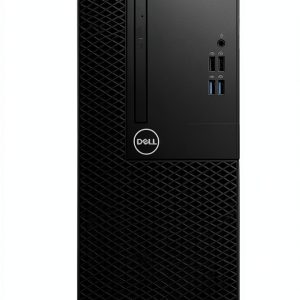
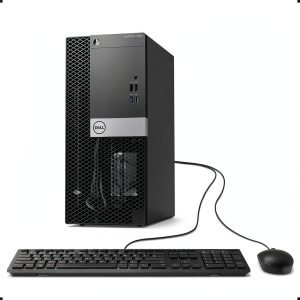
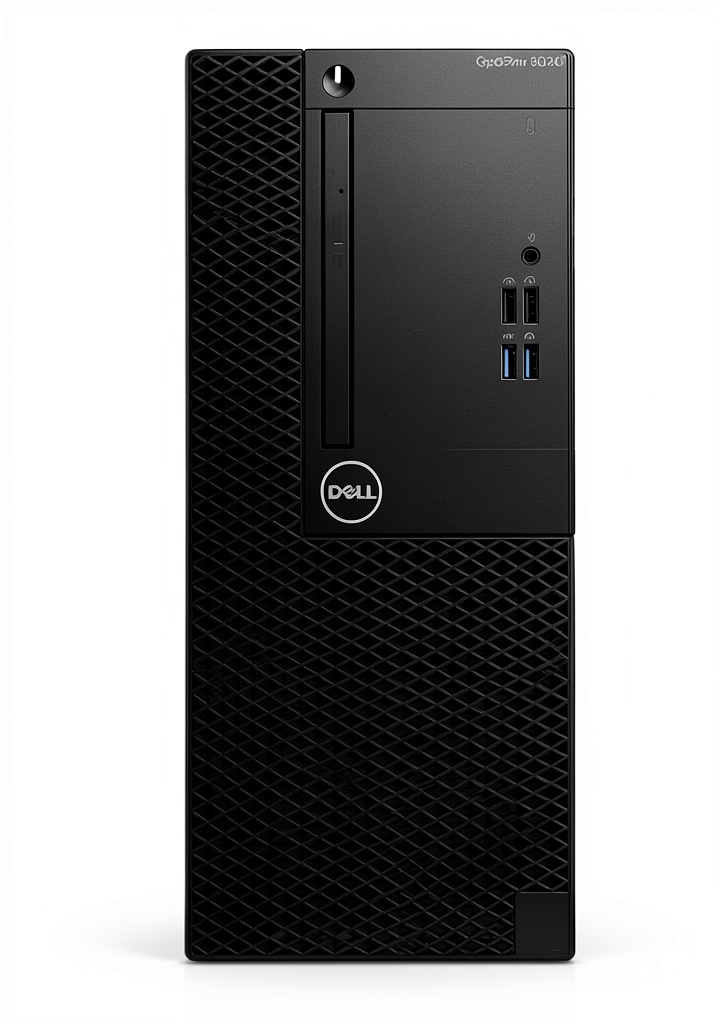
Dell’s Optiplex business line has always prioritized function over form, and the 3060 Tower continues this tradition. The black steel chassis isn’t winning any design awards, but it’s built to withstand the rigors of daily office use. I’ve worked with Optiplex towers that have been in service for 8+ years, and the durability is impressive.
The tool-less design for side panel removal makes upgrades and maintenance straightforward—a feature I wish more OEMs would adopt. The internal layout is logical with clearly marked connectors and adequate cable management. Where this design shows its age is in front-panel connectivity: you get legacy USB 2.0 ports alongside newer USB 3.1, which feels like a compromise rather than a thoughtful inclusion.
Performance in Real Use
Having deployed these systems in a 25-person accounting firm, I can attest to their capability for typical office workloads. The i5-8500 with 16GB RAM handles Microsoft Office suites, web browsers with 15+ tabs, accounting software, and video conferencing simultaneously without noticeable slowdowns.
The reality of 8th-gen performance in 2026: While benchmark comparisons show the i5-8500 trailing modern processors by significant margins, the practical difference for office tasks is minimal. Where you’ll notice the age is when running antivirus scans while working, or when dealing with large Excel files with complex formulas. The system remains usable but becomes noticeably less responsive.
Storage performance is where this configuration truly shines. The 256GB SSD provides near-instant wake-from-sleep times and application launches that feel snappy compared to mechanical drives. However, I consistently advise clients that 256GB fills up faster than expected once you install Office, accounting software, and accumulate a few years of documents and email archives.
Ease of Use
Dell’s business PCs arrive remarkably well-configured out of the box. The Windows 11 Pro installation is clean without the bloatware that plagues consumer systems. Setting up these machines for new employees typically takes me under 30 minutes—a significant time saving when deploying multiple units.
The tower form factor offers both advantages and drawbacks. It’s easier to service and upgrade than smaller form factors, but it consumes substantial desk real estate. In space-constrained offices, I often recommend the micro or small form factor versions instead, despite their more limited upgrade potential.
Durability & Reliability
Business-grade components make a noticeable difference in long-term reliability. These systems are designed for 24/7 operation in climate-controlled environments, and it shows in their component selection and cooling design. The power supply units in Optiplex systems are typically higher quality than what you’d find in consumer-grade alternatives.
My experience with refurbished Optiplex units has been overwhelmingly positive. The ones that have issues typically fail within the first 30 days, which is why I strongly recommend purchasing from reputable refurbishers with solid warranty coverage. The systems that pass this initial period often run trouble-free for years.
Pros & Cons
Advantages:
- Excellent value proposition – Business-grade quality at consumer-grade pricing
- Proven reliability – These systems have years of real-world testing in enterprise environments
- Windows 11 Pro included – The professional features justify the cost difference from home editions
- Easy maintenance – Tool-less design and standardized components simplify upgrades
- Quiet operation – Remains unobtrusive even under moderate loads
Limitations:
- Aging processor architecture – Lacks newer instruction sets and efficiency improvements
- Integrated graphics constraints – Not suitable for any GPU-intensive tasks
- Limited storage capacity – 256GB requires careful management or additional drives
- Bulkier than modern alternatives – Tower form factor consumes significant space
- Refurbished lottery – Component wear varies between individual units
Comparison & Alternatives
Cheaper Alternative: Dell Optiplex 3040 with i5-6500
For budgets under $200, the older Optiplex 3040 with 6th-gen i5 processor and 8GB RAM represents a viable alternative. The performance gap is noticeable—especially in multitasking—but for basic office tasks, it remains functional. I recommend this option only for single-application users or those who primarily work in web-based tools.
When to choose the 3040: When budget is the primary constraint and usage patterns are minimal (single application, light web browsing).
Premium Alternative: Dell Optiplex 7080 with i5-10500
Stepping up to a 10th-gen Optiplex 7080 brings meaningful improvements in CPU performance, DDR4 memory support, and more modern connectivity options. The price premium of approximately $150-$200 is justified for power users who regularly work with large datasets, multiple applications, or need longer future-proofing.
When to choose the 7080: When you need better future-proofing, handle data-intensive applications, or want noticeably snappier performance across all tasks.
Buying Guide / Who Should Buy
Best for Beginners
If you’re new to business computing or setting up your first office, the Optiplex 3060 Tower is an excellent starting point. The combination of reliability, professional features, and straightforward operation removes many variables that can complicate IT management. Dell’s documentation is comprehensive, and the widespread adoption of these systems means troubleshooting help is readily available online.
Best for Professionals
IT managers and business owners will appreciate the management features and consistency that the Optiplex line provides. Being able to standardize on a known reliable platform simplifies procurement, deployment, and maintenance. The Windows 11 Pro features like BitLocker encryption and Remote Desktop are genuinely useful in business contexts.
Not Recommended For
Avoid this system if: You work with graphic design, video editing, 3D modeling, or any GPU-accelerated applications. The integrated graphics simply lack the horsepower for these tasks. Similarly, hardcore multitaskers who regularly run virtual machines or development environments will find the 6-core processor limiting.
Also reconsider if: Desk space is extremely limited, or if you need extensive storage without adding external drives. The 256GB SSD fills up quickly with modern applications and file sizes.
FAQ
How does the i5-8500 handle Windows 11 in 2026?
Surprisingly well for office tasks. Microsoft’s system requirements for Windows 11 are more stringent than the actual performance needs. The i5-8500 runs Windows 11 smoothly, though you’ll notice slower performance during updates or security scans compared to newer processors.
Is 16GB RAM sufficient for future-proofing?
For business applications, 16GB remains the sweet spot through 2026. While some power users might benefit from 32GB, the majority of office workloads won’t utilize more than 16GB in the foreseeable future. The upgrade path is straightforward if needed.
What’s the real difference between refurbished and new?
Refurbished units have previous usage hours but undergo testing and component replacement where necessary. The main difference is the absence of original packaging and potentially shorter warranty periods. From a performance standpoint, well-refurbished units are indistinguishable from new for practical purposes.
Can this handle dual monitors?
Yes, the integrated graphics support dual monitor setups through DisplayPort and HDMI outputs. I’ve configured several offices with dual 1080p monitors without issues. For higher resolution displays or more than two monitors, you’ll need a discrete graphics card.
Is the upgrade path limited?
The main constraints are the processor (soldered to motherboard) and graphics (limited by power supply). RAM can be expanded to 32GB, and storage can be supplemented with additional SSDs or hard drives. For most business users, these upgrade options are sufficient.