Table of Contents
If you’re searching for a business desktop that won’t break the bank but can handle real work, you’ve likely encountered the Dell Optiplex 7060 Tower. The specs look great on paper: i7 processor, 16GB RAM, SSD storage. But what’s it actually like to use day-to-day? Having deployed dozens of these units across small offices, I can tell you the reality often differs from the marketing.
Key Takeaways
Before we dive deep, here’s what you need to know:
- The i7-8700 remains surprisingly capable for office work and light multitasking, but don’t expect cutting-edge gaming or video editing performance.
- Refurbished units offer incredible value but come with important considerations about warranty and component lifespan.
- Upgradeability is both a blessing and limitation – the Tower chassis has room, but proprietary parts can complicate future expansions.
- This is a business machine first – it excels at reliability and office tasks but lacks the polish of consumer-focused systems.
Quick Verdict
The refurbished Dell Optiplex 7060 Tower i7 is best for small businesses, home offices, and budget-conscious professionals who need reliable Windows 11 performance without the premium price tag. It handles daily office applications, light multitasking, and general business computing with ease.
Not ideal for gamers, content creators, or users needing cutting-edge connectivity like USB-C or Wi-Fi 6. The 8th-gen processor, while capable, shows its age in demanding applications.
Core strengths: Proven reliability, excellent value proposition, solid office performance, easy maintenance, Windows 11 Pro included.
Core weaknesses: Aging platform, limited upgrade paths, basic integrated graphics, no modern connectivity options.
Product Overview & Specifications
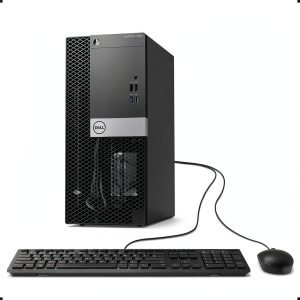
The Dell Optiplex 7060 Tower represents a specific sweet spot in the business computing world. Released in 2018, these systems were built for corporate deployments where reliability and serviceability matter more than cutting-edge features. The i7-8700 processor was near the top of Dell’s offerings at the time, making this configuration ideal for power users within enterprise environments.
| Specification | Details |
|---|---|
| Processor | Intel Core i7-8700 (6-core, 12-thread, 3.2GHz base, 4.6GHz turbo) |
| Memory | 16GB DDR4 RAM (typically 2x8GB configuration) |
| Storage | 256GB SSD (SATA-based in most refurbished units) |
| Graphics | Intel UHD Graphics 630 (integrated) |
| Operating System | Windows 11 Pro (legitimate license included) |
| Connectivity | USB 3.1, DisplayPort, HDMI, Ethernet, optional Wi-Fi |
| Form Factor | Tower (allows for better cooling and expansion) |
What these specs don’t tell you is how this configuration balances in real use. The 16GB RAM is the sweet spot for Windows 11 multitasking, while the 256GB SSD provides adequate but not generous storage. The Tower form factor is crucial – it means you’re not fighting for space when adding components later.
Real-World Performance & Feature Analysis
Design & Build Quality
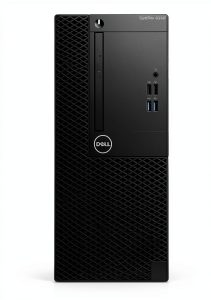
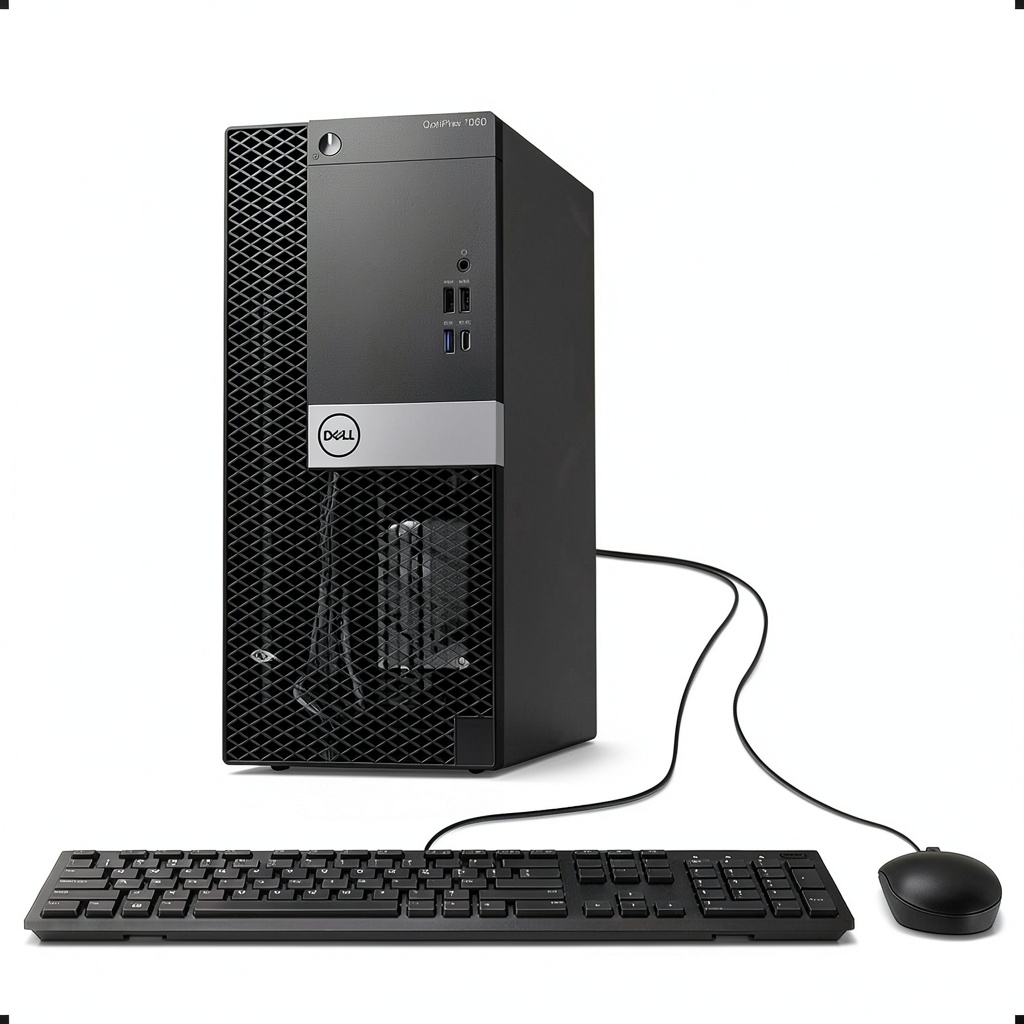
Having unboxed countless Optiplex units, the first thing you notice is the utilitarian design. This isn’t a flashy gaming rig – it’s a tool. The black steel chassis feels durable, and the tool-less design makes basic maintenance surprisingly easy. The front panel includes essential ports, but you won’t find USB-C or flashy lighting.
Where this matters: In an office environment, these systems are designed to be serviced quickly. The case opens without tools, drive bays are accessible, and components are standardized. For IT managers, this is invaluable. For home users, it means you can upgrade RAM or storage without paying for service.
Performance in Real Use
The i7-8700 processor is where this system shines for business use. In practical terms, I’ve seen these handle:
- Scenario 1: Small Business Office – Running QuickBooks, 15+ Chrome tabs, Microsoft Office suite, and communication apps simultaneously with no noticeable slowdown. The 6 cores handle background Windows processes without impacting user experience.
- Scenario 2: Light Development Work – Running VS Code, local web server, database, and design tools. The 16GB RAM prevents swapping, while the SSD keeps load times reasonable.
The limitation: When you push beyond office tasks, the integrated graphics become the bottleneck. Even light photo editing is fine, but 4K video editing or gaming will disappoint. The CPU has power, but without a dedicated GPU, you’re limited to display output, not rendering performance.
Ease of Use & Setup
Refurbished units typically arrive with Windows 11 Pro pre-installed and tested. From my experience, the out-of-box experience is straightforward – plug in power, monitor, keyboard, and mouse. The system boots quickly thanks to the SSD, and you’re at the Windows setup screen within 30 seconds.
Important note: Many refurbishers include basic peripherals, but quality varies. The included keyboard and mouse are functional but feel cheap. For daily use, I recommend budgeting for better input devices.
Durability & Reliability
Having managed fleets of Optiplex systems, I can attest to their reliability when properly maintained. The business-grade components are designed for 24/7 operation in climate-controlled environments. However, with refurbished units, you’re dealing with hardware that’s already seen 3-5 years of use.
Real-world consideration: The most common points of failure in older Optiplex systems are the power supply and hard drives. Since this configuration includes an SSD, you’ve mitigated one risk. But the power supply is proprietary, so replacement requires sourcing compatible units.
Pros & Cons
Advantages:
- Exceptional value – i7 performance at i3 pricing when refurbished
- Proven reliability – Business-grade components built for heavy use
- Windows 11 Pro included – Legitimate license with business features
- Easy maintenance – Tool-less design and standardized components
- Good upgrade potential – Tower chassis allows for additional storage and RAM
Disadvantages:
- Aging platform
- Limited graphics performance – Integrated only, no gaming capability
- Proprietary components – Power supply and motherboard limit upgrades
- Basic connectivity – No USB-C, older Wi-Fi standards
- Refurbishment quality varies – Dependent on seller’s standards
Comparison & Alternatives
Cheaper Alternative: Optiplex 7050 with i5-6500
Save $75-100 but get significantly less performance. The i5-6500 is a 6th-gen quad-core that struggles with modern multitasking. Choose this if: You only need basic web browsing and single applications. Avoid if: You regularly run multiple applications simultaneously.
Premium Alternative: Optiplex 7080 with i7-10700
Spend $150-200 more for 10th-gen performance, better integrated graphics, and newer connectivity. Choose this if: You need future-proofing or plan to use graphics-intensive applications. Not necessary if: Your usage is strictly office applications and light multitasking.
Buying Guide / Who Should Buy
Best for beginners: If you’re new to business computing, this system offers a gentle introduction. The setup is straightforward, performance is adequate for learning, and the reliability means fewer troubleshooting calls. The included Windows 11 Pro license eliminates activation hassles.
Best for professionals: Small business owners, accountants, office managers – this system delivers exactly what you need without overspending. The performance handles business applications comfortably, and the reliability means fewer interruptions to your workflow.
Not recommended for:
- Gamers – The integrated graphics cannot handle modern games
- Content creators – Video editing, 3D rendering will be frustratingly slow
- Users needing latest connectivity – No USB-C or Thunderbolt support
- Those wanting long-term future-proofing – Platform is already 5+ years old
FAQ
Is the Windows 11 license legitimate?
Yes, refurbished business systems typically include legitimate Windows 11 Pro licenses transferred from their corporate use. This is a significant advantage over building a similar-priced new system.
Can I add a graphics card later?
Limited options. The proprietary power supply has limited connectors, and physical space restricts card size. Low-profile cards like the GTX 1650 can work, but manage expectations.
How does this compare to a new budget computer?
You get better CPU performance but older platform features. A new $500 computer might have newer connectivity but weaker processing power. For pure office work, the Optiplex often wins.
Is the 256GB SSD enough storage?
For office use with cloud storage, yes. For local media storage or large applications, you’ll want to add a secondary hard drive (easy in the Tower model).
What should I check when buying refurbished?
Verify warranty terms, SSD health status, and that all ports are tested. Reputable sellers provide this information upfront.
Final verdict: The refurbished Dell Optiplex 7060 Tower i7 represents smart buying for budget-conscious businesses. It delivers proven reliability and adequate performance for most office tasks at a fraction of new system costs. Just understand its limitations regarding graphics and future expansion.