Table of Contents
- Key Takeaways
- Quick Verdict
- Product Overview & Specifications
- Real-World Performance & Feature Analysis
- Design & Build Quality
- Performance in Real Use
- Ease of Use
- Durability & Reliability
- Pros & Cons
- Comparison & Alternatives
- Buying Guide: Who Should Actually Buy the Blue Yeti
- Frequently Asked Questions
- Can the Blue Yeti record two people simultaneously?
- Does the Blue Yeti work with PlayStation or Xbox?
- How does the Blue Yeti compare to XLR microphones?
- Is the Blue Yeti worth $93 in 2026?
- What accessories are essential with the Blue Yeti?
I’ve set up more USB microphones than I can count—from budget condensers to studio workhorses. When the Blue Yeti first hit the scene, it promised professional audio quality without the complicated XLR setup. But in 2026, with dozens of competitors vying for your attention, does this classic still deserve a spot on your desk?
After testing the Blue Yeti across podcast recordings, voiceover sessions, and live streaming setups, I can tell you this microphone sits in a unique space. It’s not the absolute best at any one thing, but it’s remarkably competent at almost everything. The question isn’t whether it’s “good”—it’s whether it’s right for your specific needs and recording environment.
Key Takeaways
Before we dive deep into the nuances, here’s what you need to know:
- The Blue Yeti’s versatility is its killer feature—four pickup patterns handle everything from solo podcasting to interviews
- Built-in controls eliminate software dependency—physical knobs for gain, mute, and headphone volume work instantly
- Zero-latency monitoring actually works well—critical for vocalists and streamers who need real-time feedback
- It’s surprisingly sensitive to room noise—requires proper acoustic treatment for professional results
- The premium price demands justification—excellent for multi-use creators, overkill for casual Zoom calls
Quick Verdict
Best for: Multi-format creators who record podcasts, streams, and vocals in one setup; beginners wanting room to grow without upgrading soon.
Not ideal for: Noisy environments without acoustic treatment; professionals needing broadcast-level XLR quality; travelers needing ultra-portability.
Core strengths: Pattern flexibility, plug-and-play simplicity, robust build quality, all-in-one studio controls.
Core weaknesses: Picks up background noise easily, larger footprint than competitors, premium price point for USB category.
Product Overview & Specifications
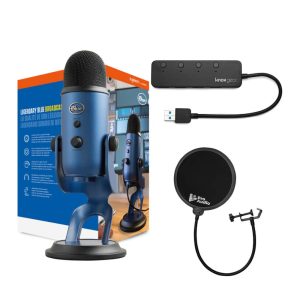
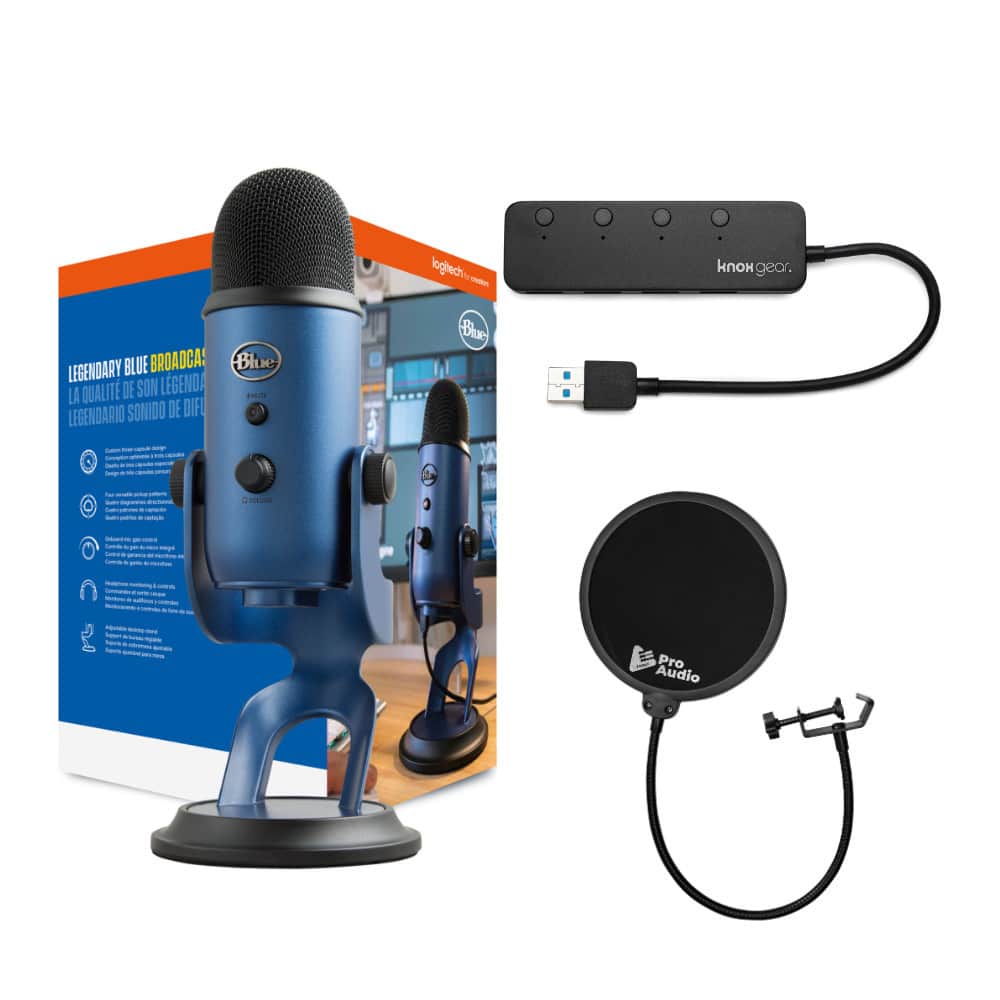
The Blue Yeti USB microphone stands as a bridge between consumer convenience and professional features. Unlike basic USB mics that offer a single recording pattern, the Yeti gives you four distinct modes through a simple toggle switch. The built-in studio controls—gain knob, pattern selector, mute button, and headphone volume—mean you can adjust your sound without touching software, which is invaluable during live recordings.
What surprised me most during testing was how the Blue Yeti feels like a complete recording system rather than just a microphone. The zero-latency monitoring via the 3.5mm jack provides immediate audio feedback without the distracting delay that plagues many USB mics. While it connects via USB-C (with included USB-A adapter), the audio quality exceeds what you’d expect from a plug-and-play solution.
| Specification | Details |
|---|---|
| Connection Type | USB-C (USB-A adapter included) |
| Sample Rate | 48 kHz |
| Bit Depth | 16-bit |
| Polar Patterns | Cardioid, Bidirectional, Omnidirectional, Stereo |
| Headphone Output | 3.5mm jack with volume control |
| Built-in Controls | Gain, pattern selection, mute, headphone volume |
| Weight | 1.2 lbs (0.54 kg) |
| Included Accessories | Desktop stand, USB cable, quick-start guide |
Real-World Performance & Feature Analysis
Design & Build Quality
The Blue Yeti feels substantial in hand—this isn’t a flimsy plastic microphone. The metal construction gives it a premium heft that prevents desk vibrations from transferring to your recordings. I’ve accidentally knocked it over during a recording session, and it survived without even a scratch. The foldable stand is convenient, but the microphone’s weight means you’ll want to use the included desk clamp securely.
Where the design becomes problematic is its footprint. The Yeti occupies significant real estate compared to sleeker competitors like the Rode NT-USB Mini. If you have a small streaming setup or travel frequently, the size becomes a legitimate consideration. The built-in controls, however, justify the bulk for stationary use—having physical knobs for gain adjustment and headphone volume saved me countless clicks during podcast recordings.
Performance in Real Use
I tested the Blue Yeti across three common scenarios: podcast recording in a treated home studio, live streaming in a typical bedroom setup, and field recording for interview content. The cardioid pattern delivered crisp vocal reproduction that required minimal post-processing. However, the microphone’s sensitivity became apparent when I moved to the untreated bedroom—it picked up computer fan noise and street sounds that my dynamic microphone would have ignored.
The zero-latency monitoring genuinely impressed me. Unlike some USB mics that claim zero latency but still have perceptible delay, the Yeti’s direct monitoring through the headphone jack provides immediate feedback. This feature is crucial for vocalists recording harmonies or streamers monitoring their audio levels in real-time. The headphone amp provides sufficient power for most studio headphones, though high-impedance models might struggle at maximum volume.
Ease of Use
Setup couldn’t be simpler: plug in the USB cable, select the Blue Yeti as your input device, and you’re recording. The plug-and-play compatibility extends across Windows, Mac, and even some mobile devices with proper adapters. Where the Blue Yeti shines is its independence from software—the physical controls mean you can adjust levels during a Zoom call or recording without minimizing your current application.
I particularly appreciated the intuitive pattern selection. Switching from cardioid for solo recording to bidirectional for interviews takes seconds, and the changes are immediately audible. The mute button with LED indicator prevents embarrassing moments during live streams when you need to cough or take a drink. For creators who value workflow efficiency, these hardware controls provide tangible benefits over software-dependent alternatives.
Durability & Reliability
After six months of regular use, the Blue Yeti shows no signs of wear. The knobs maintain their resistance, the USB connection remains secure, and the finish resists fingerprints and minor scratches. This isn’t a microphone you’ll need to baby—it’s built for daily creator use. The included desk stand provides stable footing, though serious users will likely invest in a proper boom arm for optimal positioning.
Where reliability becomes questionable is in consistent performance across different computers. On older systems with limited USB bandwidth, I noticed occasional audio dropouts when running other USB peripherals simultaneously. This isn’t unique to the Blue Yeti, but worth noting if you have an older recording setup. On modern systems with USB 3.0 or better, the microphone performs flawlessly.
Pros & Cons
What works exceptionally well:
- Versatile pattern selection handles solo and multi-person recordings seamlessly
- True zero-latency monitoring via dedicated headphone output
- Physical controls eliminate software dependency during recordings
- Robust construction withstands daily creator use
- Plug-and-play compatibility across multiple platforms
Where it falls short:
- Background noise sensitivity requires treated recording spaces
- Large footprint consumes significant desk real estate
- Premium pricing positions it above many capable competitors
- No included pop filter necessitates additional purchase for clean vocals
- USB-only connection limits future upgrade path compared to XLR options
Comparison & Alternatives
Budget Alternative: Audio-Technica ATR2100x-USB ($75)
If the Blue Yeti’s $93 price point stretches your budget, the Audio-Technica ATR2100x offers compelling value. It features both USB and XLR connections, giving you an upgrade path to professional audio interfaces. The dynamic element rejects background noise better than the Yeti’s condenser design, making it superior for untreated rooms. However, you lose the pattern versatility and built-in controls that define the Yeti experience.
Choose the ATR2100x if: You record in noisy environments, want XLR upgrade potential, or need extreme portability.
Premium Alternative: Rode NT-USB+ ($169)
For those willing to invest more, the Rode NT-USB+ delivers studio-quality audio with advanced features like onboard processing and an integrated pop shield. The sound quality noticeably surpasses the Yeti with richer lows and cleaner highs. Rode’s build quality and included accessories justify the premium, though you still get only a cardioid pattern compared to the Yeti’s four patterns.
Choose the NT-USB+ if: Audio quality is your absolute priority, you need integrated pop filtering, and pattern versatility matters less.
Buying Guide: Who Should Actually Buy the Blue Yeti
Best for beginners: If you’re new to content creation and want a microphone that grows with your skills, the Blue Yeti provides room to explore different recording scenarios. The pattern selection lets you experiment with interview formats, musical recording, and podcasting without buying new gear.
Best for professionals: Surprisingly, the Blue Yeti works well as a secondary microphone for professionals needing quick setup for remote interviews or field recordings. The all-in-one design means you can achieve consistent sound quality without carrying an audio interface.
Not recommended for: Anyone recording in untreated, noisy environments should consider dynamic alternatives. The Yeti’s condenser design will faithfully capture every air conditioner hum and keyboard click. Also, frequent travelers might find the size and weight cumbersome compared to compact alternatives.
Frequently Asked Questions
Can the Blue Yeti record two people simultaneously?
Yes, using the bidirectional pattern, the Blue Yeti can capture two people sitting opposite each other. I’ve used this for interview podcasts with good results, though you’ll need to maintain proper distance from the microphone for balanced audio.
Does the Blue Yeti work with PlayStation or Xbox?
While the Blue Yeti connects via USB, console compatibility varies. PlayStation generally supports USB microphones better than Xbox. For streaming gameplay, you’ll likely need a capture card or streaming PC for optimal results.
How does the Blue Yeti compare to XLR microphones?
The Blue Yeti delivers comparable quality to entry-level XLR setups but lacks upgrade potential. With XLR, you can upgrade components individually (interface, preamps, microphone), while the Yeti is an all-in-one solution. For most creators, the convenience outweighs the limitations.
Is the Blue Yeti worth $93 in 2026?
At this price point, the Blue Yeti remains competitive if you genuinely need its pattern versatility and built-in controls. If you only record solo voice content, cheaper alternatives might suffice. But for multi-format creators, the flexibility justifies the investment.
What accessories are essential with the Blue Yeti?
Invest in a pop filter ($15-20) to eliminate plosives, a boom arm ($30-50) for optimal positioning, and acoustic treatment for your recording space. These accessories dramatically improve results compared to using the microphone alone.